After working with Claude Code all afternoon, you may run into a moment like this. It asks about something you’ve already explained as if you had never mentioned it. It may even revisit a decision you thought was settled. You find yourself thinking, “We already talked about this,” and fighting the urge to swear.
Claude Code is not broken. As a conversation gets longer, it starts managing the context behind the scenes. Once you understand this process, you can see why some information remains while other details disappear. Let’s see how that works.
The experiments and features discussed in this article are specific to Claude Code. The broader principle—keeping important information outside the conversation when working with a limited context window—also applies to other AI tools. The details of compaction and the available commands vary by tool.
Context is the information an AI can work with at once
Context is the amount of information an AI can work with at one time. It is similar to a person’s working memory. To generate a response, Claude Code reads everything currently in that context—not just your prompts, but also the contents of files it has read and the output of commands it has run. Because each file can add its full contents, the context may fill sooner than you expect.
As the context fills, two things can happen. First, performance may decline. According to the official documentation, a model may begin to “forget” earlier instructions as its context window fills. This explains why Claude Code can lose track of earlier details even before compaction. Then, as the context nears its limit, Claude Code summarizes the conversation to make room.
Context window sizes vary by model. A model with a one-million-token context window, such as Fable 5, has more room before automatic compaction begins. But it is still not unlimited. The basic principle is the same regardless of the model.
The conversation is summarized when the context fills up
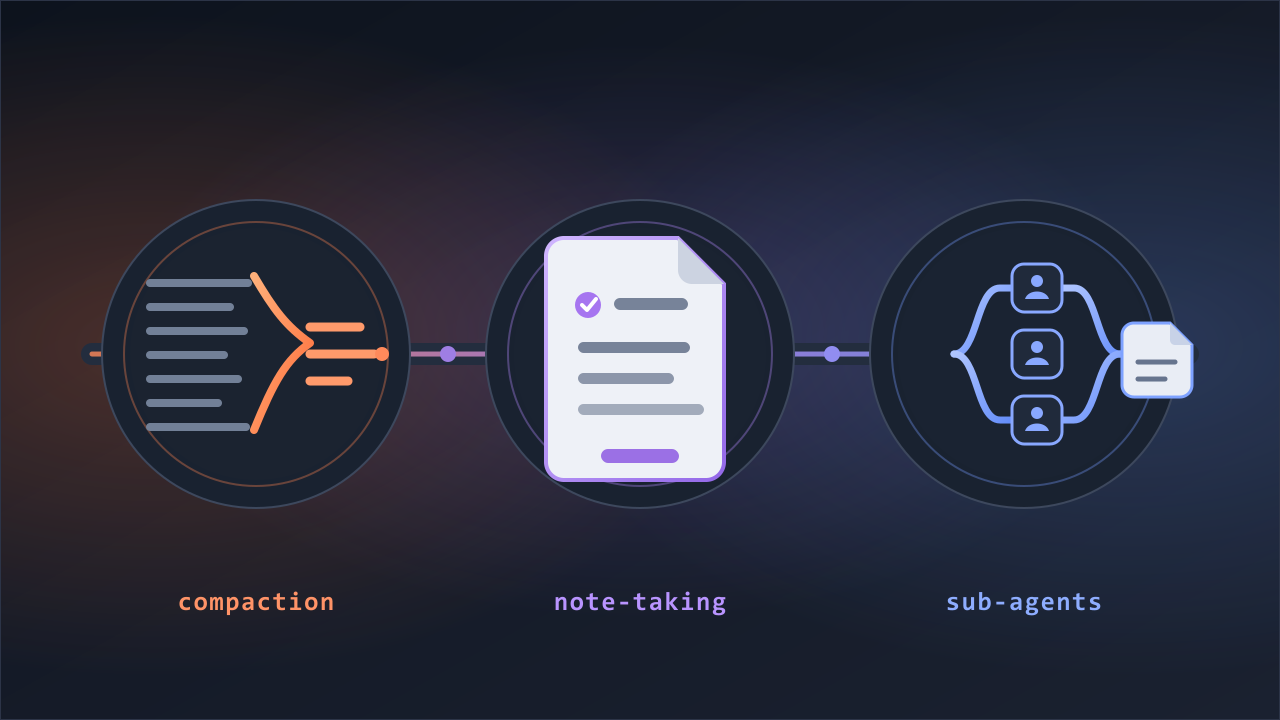
As the context approaches its limit, Claude Code automatically begins freeing up space. According to the official documentation, this happens in two stages. It first clears old tool output. If that does not free enough space, it summarizes the conversation in the same way as the /compact command.
I measured how much compaction can shrink a conversation. All the experiments in this article were conducted on July 20, 2026, on Windows 11. I ran Claude Code v2.1.211 in headless mode using claude -p. A 366,915-token conversation became a 3,726-token summary after compaction—roughly one hundredth of its original size. It is like discarding a complete meeting transcript and keeping only a single page of meeting notes.
That does not mean everything from the earlier conversation disappears. The summary prioritizes the initial request and intent, the files involved, errors encountered, and unfinished tasks, though none is guaranteed to survive. The latest exchanges remain in their original form. This is why Claude Code may remember what you just said but lose track of something from an hour ago.
What remains after compaction—and what disappears
Let’s start with what definitely disappears. In the experiments, the contents of files Claude Code had read and the output of commands it had run were removed from the context after compaction. The result was the same in every session, and the removed material amounted to hundreds of thousands of tokens. This makes sense: file contents may take up much of the context, but the original files remain on the computer and can be read again. Claude Code first removes information it can retrieve later.
The problem is information that existed only in the conversation. Unlike a file, it has no external source Claude Code can return to. The AI model generating the summary decides what to include.
In an experiment with Haiku 4.5, I inserted an arbitrary code word into the conversation to see whether Claude Code would remember it, then repeatedly had it read files until automatic compaction occurred. The word disappeared completely after compaction. Claude Code could not recall it even after I asked several times. Some of the reasoning behind decisions remained, but only in fragments. The instructions were reduced to general ideas, with the specifics gone. Only the unfinished task remained intact.
Two manual compactions with Fable 5 produced a different result. One session contained about 70,000 tokens, while the other was the 366,915-token session described earlier; some turns used Opus 4.8. In both sessions, all eight planted facts remained after compaction. This supports the idea that a summary produced by a stronger model can preserve details well. But it does not guarantee that they will always survive. Automatic compaction runs when the context reaches its limit, so the user does not control the timing or conditions.
Information in files can be loaded again
Information that existed only in the conversation can be lost during summarization. Information saved in files, however, can be loaded again after compaction.
CLAUDE.md is a good example. All four test sessions continued to follow its response rules after compaction, and Claude Code could still describe those rules accurately when asked. Those instructions were not preserved in the summary. Instead, Claude Code reread CLAUDE.md from disk. The official documentation also states that Claude Code reloads CLAUDE.md from disk after compaction.
Rules that apply only to files under a particular path work a little differently. They are omitted from the summary during compaction, but that does not delete the rules. They take effect again when Claude Code rereads a file under that path.
Here is what happens to each type of information after compaction:
| Type of information | What happens after compaction |
|---|---|
| The most recent part of the conversation | Preserved in its original form |
| Initial requests and unfinished tasks | Prioritized in the summary, but not guaranteed to remain |
| Details found only in the conversation, such as code words and reasons behind decisions | May be included or omitted; some disappeared in the experiments |
| File contents Claude Code read and command output | Removed from the context, but the files can be read again |
| Instructions in CLAUDE.md | Reloaded from disk |
| Rules scoped to a particular path | Applied again when a file under that path is reread |
Keep important information in files
When you work with an AI assistant over a long conversation, it is safer not to leave important information only in the chat. If you keep the source of truth in a separate file, it remains available after the conversation is summarized or you start a new session.
That does not mean everything belongs in CLAUDE.md. Put rules and stable decisions that must apply across sessions in CLAUDE.md because Claude Code rereads it in every session. The official documentation, however, explicitly advises against putting frequently changing information there. Keep the plan and current status of an active task in a separate work file instead.
The work file does not need to be elaborate. The official documentation recommends writing the specification for a large task in a file such as SPEC.md, then starting a new session and asking Claude Code to read that file before work begins. I write my task lists in dated files such as 20260720_1.md and have Claude Code read the relevant one at the start of each session. The underlying principle is the same either way: even if the conversation is compacted, the source of truth for the work remains in a file and can be read again.
The same principle applies to the prompt you use to assign the work. Do more than tell Claude Code to read a file before it starts. Ask it to keep that file updated with completed items, decisions, and next steps. A plan kept only in the conversation can become vague during compaction, but progress recorded in a work file can be read again later.
Read dispatch/20260720_1.md and make a plan before proceeding. Mark each item complete as you finish it, and record decisions in this file.
If you do not want to repeat this request every time, you can put it in CLAUDE.md as a standing instruction. Claude Code will then reload the instruction from disk after compaction. The same reasoning applies to the compaction instruction shown in the official documentation. For example, CLAUDE.md can include a sentence such as, “When compacting, always preserve the list of modified files and the test commands.”
You can also specify what a summary should preserve. Add an instruction after /compact to focus the summary on that information.
Use /context to check how full the current context is. If you are switching to a different task or Claude Code is starting to lose track of earlier details, it is better to start fresh than to continue in the same conversation. Add a name after /clear to preserve the current session under that name and open a new one.
You can reopen the saved session with /resume and continue from where you left off.
Claude Code’s tendency to forget earlier parts of a long conversation is a consequence of context management. Performance can decline as the context fills, and Claude Code summarizes the conversation as the context approaches its limit. Details that existed only in the conversation can disappear during this process.
The compaction process and commands covered here are specific to Claude Code. But the broader principle applies to other AI tools as well: do not leave important information only in the conversation. With Claude Code, it is safer to keep rules that must survive across sessions in CLAUDE.md and record the status and decisions of the current task in a separate file. With other AI tools, find a file or record-keeping method that the tool can access again later.
The longer an AI conversation becomes, the more important it is to decide not what the AI should remember, but where the source of truth should live.